




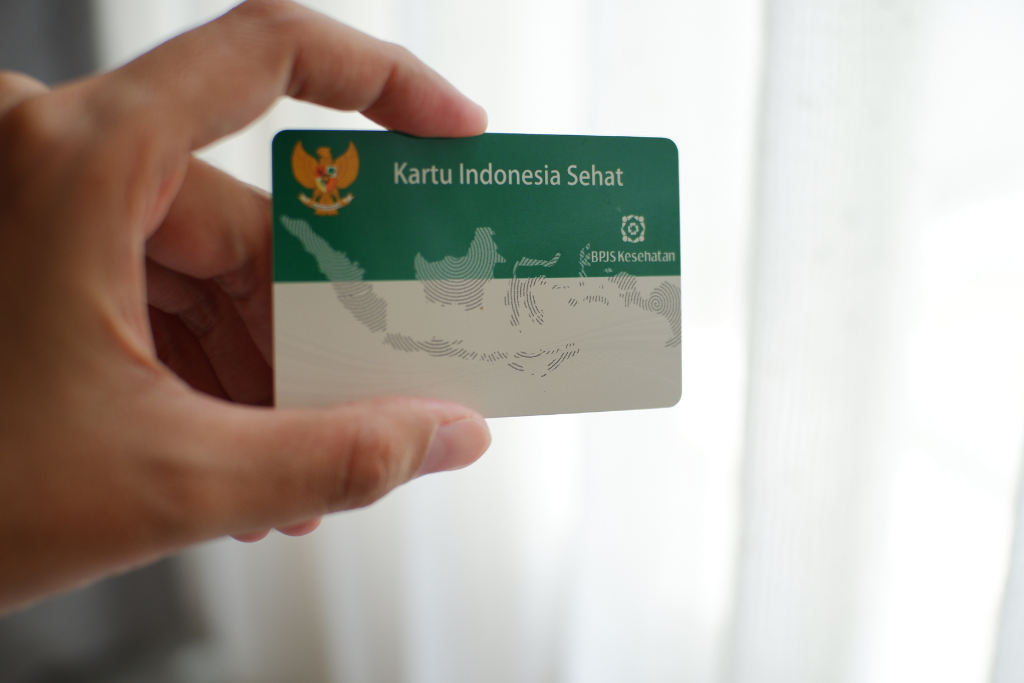
Your BPJS Kesehatan membership status is important to keep track of, especially before you use healthcare services. By checking your membership status, you can make sure that your membership is still active and determine whether there are any administrative matters that need to be addressed.
The good news is that you can check whether your BPJS Kesehatan membership is active online through various official BPJS Kesehatan channels. One of them is the Mobile JKN app, in addition to Care Center 165 and other administrative services. BPJS Kesehatan also provides membership status-checking features through its official channels.
Why Should You Check Your BPJS Kesehatan Membership Status?
Checking your membership status regularly can help you:
- Make sure your BPJS Kesehatan membership is still active
- Make sure your participant information is accurate
- Find out whether there are any membership-related administrative matters that need to be addressed
- Monitor your contribution billing information
- Avoid administrative issues when you need healthcare services
Checking your status is also useful if you have not used BPJS Kesehatan services for a long time or have recently made changes to your membership information.
How to Check Whether Your BPJS Kesehatan Membership Is Active
There are several official channels you can use to check your BPJS Kesehatan membership status.
1. How to Check Your BPJS Kesehatan Status on Mobile JKN
Mobile JKN is one of BPJS Kesehatan’s digital channels that participants can use to access various JKN services.
To check your membership status, follow these steps:
- Open the Mobile JKN app.
- Log in using your registered account.
- Go to the participant information section.
- Check the membership information displayed.
In addition to checking participant status, Mobile JKN also provides various administrative services and information related to JKN membership. BPJS Kesehatan currently lists Mobile JKN as one of its official digital services.
2. How to Check Whether Your BPJS Kesehatan Status Is Active Without an App
Not using Mobile JKN? You can still use BPJS Kesehatan’s official channels.
One option is the BPJS Kesehatan Care Center 165. This service can be used to obtain membership information and check participant status and contribution bills through the VIKA service. Care Center 165 is available 24 hours a day, every day.
In addition to Care Center 165, BPJS Kesehatan also provides PANDAWA, or Administrative Services via WhatsApp, for various membership administration needs. PANDAWA can be accessed through the official number 0811-8-165-165.
If you need an in-person service, you can also visit a BPJS Kesehatan office.
Make sure to use official BPJS Kesehatan channels when providing personal data or membership information.
3. How to Check Whether Your BPJS Kesehatan Card Is Active
If you are looking for a way to check whether your BPJS Kesehatan card is active, what you actually need to check is your BPJS Kesehatan membership status.
The card you have is not the only reference for determining whether your membership is still active. You can check it through Mobile JKN, Care Center 165, or other official BPJS Kesehatan channels.
By knowing your membership status, you can also find out whether there is any information or administrative matter that needs to be followed up.
4. How to Check Whether Your BPJS Kesehatan Membership Is Still Active
To find out whether your BPJS Kesehatan membership is still active, you can use Mobile JKN or contact Care Center 165.
Care Center 165 provides the VIKA service, which can be used to check participant status and contribution bills.
If your membership status indicates that further action is required, follow the information and procedures provided through official BPJS Kesehatan channels.
What If Your BPJS Kesehatan Status Is Inactive?
If your membership status is inactive after checking, do not simply ignore it.
First, find out the reason for the inactive status through official BPJS Kesehatan channels. Different membership conditions may have different administrative procedures, so the steps you need to take may also vary.
For example, PANDAWA provides several administrative services, including reactivation of membership status for certain conditions.
Therefore, use information from official BPJS Kesehatan channels to determine the appropriate steps for your membership status.
Don't Forget to Pay Your BPJS Kesehatan Contributions
In addition to checking your membership status, it is also important to pay your contributions in accordance with the applicable requirements.
By paying your contributions according to the applicable schedule and requirements, you can keep your membership administration properly managed. If you want to check your contribution amount or payment status, you can do so through official BPJS Kesehatan channels such as Care Center 165.
For payments, you can also use the bill payment service on the neobank app.
Pay Your BPJS Kesehatan Bill on neobank
The BPJS Bill Payment feature on the neobank app from Bank Neo Commerce allows customers to pay their BPJS bills digitally.
The neobank Bills and Top-Up service supports various types of bill payments in one app, including BPJS.
To pay your BPJS bill through neobank:
- Open the neobank app.
- Select “Lainnya”.
- Find the “Tagihan dan Isi Ulang” category.
- Select “BPJS”.
- Enter your BPJS virtual account number.
- Select the payment duration.
- Select “Lihat Tagihan” to review the payment details.
- Select “Konfirmasi”.
- Enter your transaction PIN to complete the payment.
Before completing the transaction, make sure the virtual account number and bill details are correct.
Keep Track of Your BPJS Kesehatan Status
Knowing how to check whether your BPJS Kesehatan membership is active can help you confirm your membership status before you need healthcare services.
You can check your status through Mobile JKN, Care Center 165, PANDAWA, and other official BPJS Kesehatan channels. If your membership status requires further action, use information from official channels to determine the appropriate procedure.
In addition, remember to keep track of your contribution payments. For BPJS bill payments, you can use the BPJS Bill Payment feature on the neobank app.
***
Information regarding BPJS Kesehatan membership status and services is based on official BPJS Kesehatan channels. Procedures, features, and terms may change according to BPJS Kesehatan policies.
BPJS Bill Payment on the neobank app is subject to the applicable terms and conditions. Make sure your account number and bill details are correct before completing the transaction. Information about BPJS payments on neobank is also available on Bank Neo Commerce’s official PPOB service page.
If you want to use the BPJS Bill Payment feature, download the neobank app through Google Play or the App Store. For more information, visit the official Bank Neo Commerce website.
PT Bank Neo Commerce Tbk is licensed and supervised by the Financial Services Authority (OJK) and Bank Indonesia (BI), and is a participant in the Deposit Insurance Corporation (LPS) guarantee program.




What are you waiting for?
Let's try neobank now!
.png)
.png)

PT Bank Neo Commerce Tbk is licensed and supervised by the Financial Services Authority (OJK) & Bank Indonesia (BI) and is a member of Indonesia Deposit Insurance Corporation (LPS).
The maximum deposit amount insured by LPS per customer per bank is Rp2 billion. To find out the LPS Guaranteed Interest Rate, please access here.
Copyright © 2023, All Rights Reserved, PT. Bank Neo Commerce Tbk


PT Bank Neo Commerce Tbk is licensed and supervised by the Financial Services Authority (OJK) & Bank Indonesia (BI) and is a member of Indonesia Deposit Insurance Corporation (LPS).
The maximum deposit amount insured by LPS per customer per bank is Rp2 billion. To find out the LPS Guaranteed Interest Rate, please access here.


Copyright © 2023, All Rights Reserved, PT. Bank Neo Commerce Tbk